Typography is the design element most business owners never think about — and the one that trained designers notice immediately. The fonts you choose, how you pair them, how you size and space them — all of it communicates something about your brand before a word is read.
And when it’s done badly, it quietly erodes trust, makes content harder to read, and makes a brand look unprofessional even when everything else is right. Here are the most common typography mistakes I see — and what to do instead.
Mistake 1: Using Too Many Fonts
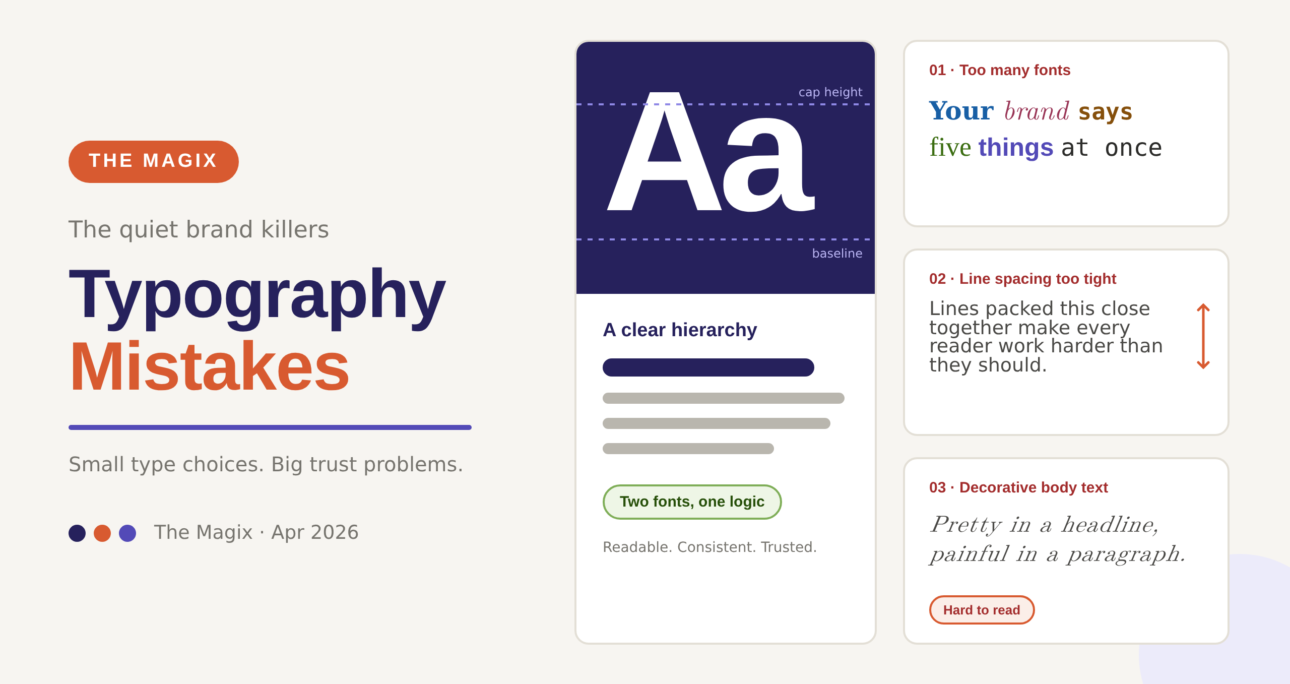
The most common typography mistake I see in DIY brand design is fonts used in every weight, style, and family imaginable — sometimes within a single page. A professional brand typically uses two fonts: one for headings and one for body text. Three at an absolute maximum, with a very clear reason for each.
More fonts than that creates visual noise. It makes a brand feel inconsistent and unpolished — even when the content itself is excellent. The discipline of limiting your typefaces is one of the clearest signs of a trained designer.
Mistake 2: Pairing Fonts With No Logic
Grabbing two fonts that both look nice individually doesn’t mean they work together. Font pairing is a skill — it’s about contrast and harmony, about how the personality of the heading font complements or tensions against the body font.
The classic pairing principles: a serif heading with a sans-serif body. Or a bold display font with a clean, neutral body font. The heading font carries character; the body font carries clarity. When both compete for personality, both lose.
Mistake 3: Line Spacing That’s Too Tight
Line spacing — also called leading — is the vertical space between lines of text. Too tight and text becomes a wall that readers abandon. The standard recommendation for body text is a line height of 1.5 to 1.6 times the font size. Most default settings are too tight, and most business owners never think to adjust them.
Generous line spacing makes text feel more premium, more readable, and more considered. It’s one of the simplest adjustments that makes an immediate visible difference.
Mistake 4: Using Decorative Fonts for Body Text
Script, handwritten, and decorative fonts are beautiful in logos, headings, and short accent text. They are genuinely painful to read at paragraph length. I see this constantly — a business falls in love with a flowing script font, and uses it for everything including long captions, website copy, and email newsletters.
If a font requires any effort to read, it should never be used for body text. Save the personality for display moments.
Mistake 5: No Hierarchy
Typographic hierarchy is what guides a reader’s eye through a page — what’s the headline, what’s the subheading, what’s the body, what’s the caption. When everything is the same size and weight, nothing stands out, and readers don’t know where to look first.
A clear hierarchy — achieved through size, weight, and spacing — makes content scannable, keeps readers engaged, and communicates information in the right order of importance.
Mistake 6: Ignoring Mobile Typography
A font that looks elegant on a desktop at 16px can become illegible on a mobile screen. Responsive typography — scaling font sizes appropriately across screen sizes — is an essential part of modern web design. If your website’s body text is too small to read comfortably on a phone without zooming, you’re losing your mobile audience.
The Bottom Line
Typography is not decoration. It’s communication infrastructure. Getting it right doesn’t require expensive fonts — Google Fonts has excellent free options. It requires understanding what you’re communicating and making deliberate choices in service of that message.
📩 Want a brand that communicates properly at every level? Let’s talk